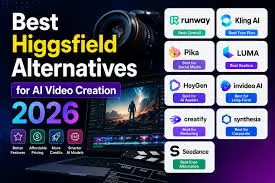
AI creative platforms are moving beyond simple prompt-to-image generators. In 2026, creators and marketing teams can choose from platforms that combine dozens of models, automate production steps, generate video, manage assets, and even turn repeatable processes into reusable workflows.
That makes choosing between Melius vs Krea vs Higgsfield less about finding one “best” AI model and more about finding the platform that matches the way you actually work.
Melius, Krea, and Higgsfield all provide access to multiple AI models, but their workflows are different. Melius puts more emphasis on collaborative creative workflows and AI agents, Krea is particularly strong for rapid visual experimentation and model variety, while Higgsfield has a strong focus on AI video and cinematic production.
Here is how the three platforms compare in 2026.
The Best AI Creative Platforms at a Glance
| Platform | Best for | Main modalities | Workflow & collaboration | Free plan | Starting paid plan |
| Melius | Multi-step creative production and teams | Image, video, audio | Visual canvas, agents, shared workspaces, reusable skills | Limited trial | $17/month annually |
| Krea | Fast visual experimentation | Image, video, 3D, audio | Real-time tools, Nodes, model library | Yes | $9/month |
| Higgsfield | AI video and cinematic content | Video, image, audio | Multi-model video workspace and production tools | Yes | From $15/month on current published plans |
Pricing and available features can change, so the provider’s current pricing page should always be checked before subscribing. Krea currently lists a free plan with 100 compute units per day and paid plans beginning at $9/month, while Higgsfield currently lists paid access beginning around $15/month for its Starter offering.
1. Melius
Melius approaches AI creation as a complete production workspace rather than a collection of isolated generators. Its visual, node-based canvas connects prompts, assets, models, and production steps, allowing a project to be built as a workflow instead of recreated from scratch each time.
The platform brings image, video, and audio models into one subscription and supports AI agents that can help build and run creative workflows. Users can also reuse agent skills, compare different models, and collaborate through shared workspaces. Melius says paid plans include unlimited seats, which can be useful for agencies and teams where designers, marketers, clients, and other stakeholders need access to the same work.
Pros
- Combines image, video, audio, and creative AI models in one workspace.
- Visual node-based canvas supports repeatable production workflows.
- Multiple models can be compared for different creative tasks.
- Creative agents can automate parts of content production.
- Reusable agent skills make recurring processes easier to structure.
- Shared workspaces and unlimited seats support team collaboration.
- Supports MCP, API, and CLI workflows for technical integrations.
- Professional features include Slack agent access, semantic asset management, custom ElevenLabs voices, and AI prompt enhancement.
- Useful for advertising, storyboards, product visuals, social campaigns, e-commerce assets, and creative variations.
Cons
- A workflow-based interface can require more learning than a simple prompt box.
- Credit usage depends on the models and generation tasks selected.
- Someone who only needs occasional image generation may not need the broader workspace.
- Some advanced agent and asset-management features require higher plans.
The biggest difference is the workflow layer. Instead of treating every image or video as a separate experiment, Melius lets teams connect the stages of a project and reuse a working canvas. That makes it particularly relevant for agencies, marketers, filmmakers, designers, and e-commerce teams producing large volumes of related creative.
Pricing
Melius currently lists:
- Creator: $17/month when billed annually, with 20,000 credits.
- Growth: $43/month when billed annually, with 50,000 credits.
- Professional: $93/month when billed annually, with 110,000 credits, with the option to select up to 300,000 credits.
- Enterprise: Custom pricing.
The Professional plan adds up to 10 agent skills, Slack agent access, Semantic Assets Manager, custom ElevenLabs voices, AI prompt enhancement, and other advanced features.
2. Krea
Krea is designed around fast visual creation and experimentation. Its platform covers image generation, video, 3D, lipsync, enhancement, editing, and other creative tasks, with access to a broad model library.
One of Krea’s strongest characteristics is real-time generation. Rather than treating every prompt as a separate production cycle, creators can experiment visually and iterate quickly. Krea also provides access to numerous image and video models from different providers.
Pros
- Fast, real-time visual generation.
- Large selection of image and video models.
- Supports image, video, 3D, audio, enhancement, and lipsync workflows.
- Strong image upscaling and enhancement tools.
- LoRA training supports custom visual styles, products, and characters.
- Free plan makes it easy to test the platform.
- API access allows developers to integrate multiple models into applications.
Cons
- The large feature set can feel broad for users seeking one specialized tool.
- Compute-unit consumption varies by model and task.
- Advanced capabilities require paid plans.
- Teams looking for agent-driven production workflows may need additional tooling.
Krea is particularly useful when the creative process involves frequent visual iteration. If you are testing styles, comparing models, developing product imagery, or refining images before moving into video, its combination of real-time tools and model variety can make experimentation much faster.
Pricing
Krea currently offers a free plan with 100 compute units per day. Its published paid plans include Basic at $9/month, with higher Pro and Max tiers providing substantially more compute capacity and features.
3. Higgsfield
Higgsfield has built a particularly strong position around AI video. Its platform brings several leading video models into one environment, including models such as Kling, Veo, Seedance, and Wan, while also providing image and production-oriented creative tools.
This model aggregation is useful when a project requires different generation characteristics. Instead of moving between separate services, creators can compare outputs from multiple video models inside the same broader workflow.
Pros
- Strong focus on AI video creation.
- Access to multiple leading video models.
- Useful for cinematic scenes, advertisements, social videos, and storytelling.
- Supports image generation alongside video.
- Offers creative controls for camera, motion, and style.
- Team plans provide shared workspace and collaboration features.
- API options are available for developers and automated workflows.
Cons
- Its strongest focus is video rather than broad text-and-audio workflow orchestration.
- Generation costs depend heavily on the selected model and output.
- Advanced video production can involve a learning curve.
- Model capabilities differ, so results are not identical across the available generators.
Higgsfield makes sense when video is the center of the project. Its current platform lets users switch among several video models without leaving the workspace, making it practical for testing different approaches to the same shot or sequence.
Pricing
Higgsfield’s current published plans include a Starter option from around $15/month, with higher tiers providing more credits and model access. The company also offers separate API access and additional production-oriented plans. Pricing can change as new models and generation options are added.
How We Chose These Tools
For this comparison, I focused on the things that matter after the novelty of AI generation wears off.
First, I looked at model access and modality coverage. A professional workflow may require images, video, audio, editing, and multiple generation models rather than one model for everything.
Next, I considered workflow flexibility. Can you repeat a successful process? Can you change one step without rebuilding the entire project? Can multiple people work on the same creative task?
I also considered automation, collaboration, developer access, pricing, and practical use cases. Finally, I looked at the trade-offs rather than treating every additional feature as automatically useful.
That distinction matters because the right platform for a filmmaker can be very different from the right platform for an e-commerce team producing thousands of product variations.
The AI Creative Platform Landscape in 2026
The market is shifting from individual AI generators toward multi-model creative environments.
The model itself is still important, but professional users increasingly need orchestration around the model. They want to compare outputs, reuse successful workflows, manage assets, automate repetitive tasks, and collaborate with other people.
Krea’s model library illustrates this shift, covering image, video, audio, enhancement, editing, 3D, and related categories. Higgsfield is similarly bringing multiple leading video models into one workspace.
Melius is taking the workflow concept further with a node-based canvas, agents, reusable skills, shared workspaces, and integrations such as API, CLI, and MCP. The result is less like choosing a single generator and more like assembling a production system around multiple models.
This trend is likely to matter even more as AI models continue to change. A platform that lets users switch models without rebuilding the entire creative process can remain useful even when individual models rise and fall in popularity.
Final Takeaway
The three platforms serve different creative priorities.
Melius is built for teams that want a broader AI creative workspace with multi-model generation, visual workflows, agents, collaboration, and technical integrations.
Krea is well suited to creators who prioritize rapid visual experimentation, real-time generation, image enhancement, and access to many creative models.
Higgsfield is particularly relevant to filmmakers, marketers, and creators whose projects revolve around AI-generated video, cinematic scenes, advertisements, and visual storytelling.
The practical way to choose is to test a real project rather than comparing feature counts alone. Take the same brief, create several outputs, track how much iteration is required, measure credit usage, and see how easily another team member can pick up the workflow.
AI creative platforms are changing quickly in 2026. The useful question is not which tool has the longest feature list, but which one fits the way you create, review, collaborate, and deliver finished work.